
How to Drift in FR Legends, Beginner to Smooth in One Guide
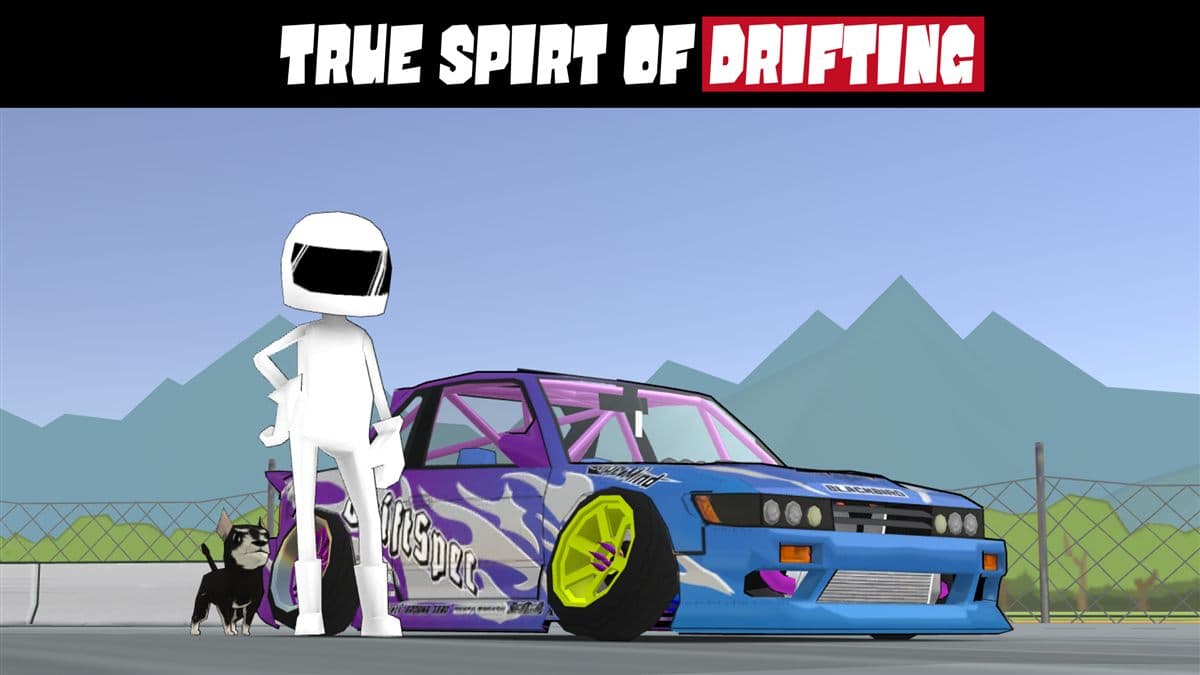
FR Legends looks simple: throttle, brake, steer, handbrake. Yet the drift physics respond to real inputs rather than scripted animations, which is why the same car feels silky in one player's hands and impossible in another's. If your car spins out on entry, snaps back mid-corner, or refuses to hold an angle, the fix is almost never the setup. It is the technique. This guide covers initiation, throttle control, countersteer, and weight transfer, plus setup tips, common mistakes, and a practice routine.
What makes FR Legends drift physics different
FR Legends is an arcade racer, but its drift model has real weight transfer baked in. The rear steps out when weight leaves the rear tires: braking pitches the nose down and loads the fronts, throttle squats the car and loads the rears, and the handbrake locks the rear wheels outright. You cannot hold the throttle and saw the wheel and expect a clean slide. The game rewards smooth, deliberate inputs.
Tracks like Drift Park and the Mt. Aso touge have consistent surfaces, so when a slide fails you can trace it to one input and fix it. Playing on a new device? Grab the latest FR Legends APK so you practice on the current physics.
The three initiations: lift-off, handbrake, and feint
Every drift starts with an initiation, the moment you break the rear loose. There are three reliable ways to do it, and each suits a different corner.
Lift-off oversteer
Brake or lift the throttle before the corner so weight shifts onto the front tires, then turn in. The rear unloads and steps out on its own. This is the cleanest initiation, and the first to master because it teaches you to read weight transfer.
Handbrake entry
Pull the handbrake as you turn in to lock the rear wheels and swing the back end around. It is the fastest way to get sideways, but it scrubs speed. Save it for tight hairpins where lift-off alone cannot generate enough rotation.
Feint, or the Scandinavian flick
Steer away from the corner first, then flick toward it. The weight shift swings the rear out as you turn in, and you enter with more speed and angle than either other method. Feints separate smooth touge runs from jerky ones.
Throttle control: your angle is a volume knob
Once the rear is sliding, the throttle maintains the drift. Think of it as a volume knob: more throttle means more angle, less throttle means the tires regain grip and the car straightens. The skill is holding the balance point where the car keeps a constant angle without spinning or straightening.
Beginners make two opposite mistakes: lifting completely when the car starts to rotate, which snaps it the other way, or pinning the throttle and spinning out. Practice holding a steady 30 to 40 degree angle for an entire corner. See the tuning guide for a car that makes holding that angle easier.
Countersteer: the wheel that keeps you alive
Your steering fights the rear's desire to keep rotating. When the car slides left, you steer right; that is countersteer, and it should be a smooth, constant correction, not a sawing motion. If the back comes around too fast, add countersteer and ease off the throttle; if the angle is collapsing, reduce countersteer and add throttle. A good drill is holding a constant circle on the Irwindale infield oval.
Weight transfer: drifting is controlled weight shift
Every drift is the rear losing grip because weight left it. Braking shifts weight forward, which helps initiation and turn-in. Acceleration shifts weight back, which extends the slide and pulls the car straight on exit. A huge part of FR Legends technique is timing those two shifts.
On entry, brake in a straight line, turn in as the nose dives, let the rear step out, then roll smoothly back onto the throttle. On exit, add power as the track straightens. If you find yourself fighting the car, you are fighting the weight transfer instead of using it. A car tier list can point you to models that rotate most predictably.
Car setup tips for drifting
Technique comes first, but setup removes roadblocks. These settings change how the car drifts the most, so tweak them one step at a time.
Differential and tires
Set the rear differential loose enough that the inside rear wheel can spin up, which makes initiating easier. Stiffer rear tires give more grip to break free, while softer fronts help the car turn in.
Suspension and stabilizer
Softer rear springs and a softer rear stabilizer let the rear squat and rotate, exactly what a drift car needs. Keep the front reasonably stiff so steering stays sharp. For which parts to buy and in what order, check how to build the perfect drift car.
| Part | Recommendation | Effect |
|---|---|---|
| Rear differential | Loose | Easier initiation and angle changes |
| Rear tires | Stiff | More grip to break free |
| Front tires | Soft | Sharper turn-in |
| Rear springs | Soft | Rear squats and rotates |
| Rear stabilizer | Soft | Smoother transitions |
Common mistakes and how to fix them
| Symptom | Cause | Fix |
|---|---|---|
| Spins out mid-corner | Too much throttle, too little countersteer | Ease off the throttle and add countersteer earlier |
| Car snaps back the other way | Lifting off completely mid-drift | Keep a small amount of throttle through the corner |
| Cannot get sideways | Entering too fast or too slow | Brake later and harder, use lift-off oversteer |
| Drift dies halfway | Speed too low, angle too shallow | Initiate with more speed and use the handbrake |
| Every corner looks the same | Only using the handbrake | Practice lift-off and feint entries only |
Fix one cause per session; trying to fix everything at once creates new mistakes.
A 10-minute practice routine
Ten focused minutes beat an hour of aimless laps. Run this routine before every session.
- Two minutes of circles on the Irwindale infield, holding a constant angle with throttle only.
- Three minutes of figure-eights, switching left and right without the handbrake.
- Three minutes of corner entries on Drift Park, one initiation type per lap.
- Two minutes of full track runs, with the handbrake allowed only on the tightest corners.
Add variety with custom livery codes and track your progress with other guides on the blog.
Advanced: linking corners and transitions
Once single corners feel easy, the real fun starts: linking. A linked run keeps the car sliding from corner to corner with no straight section in between.
Linking corners
The secret is exit speed. If you exit with too little speed, the next initiation needs the handbrake, which kills your rhythm. Carry a little more speed on entry, hold a shallower angle through the middle, and let the car run wide toward the exit.
Transitions
A transition is a switch from a left slide to a right slide, like in a figure-eight or a chicane. Countersteer past center and let the weight transfer do the work; do not yank the wheel. Add a tiny throttle lift at the moment of switch, then roll back on as the new angle sets.
FAQ
What is the best car for drifting in FR Legends?
Any rear-wheel-drive car with good upgrades can drift, but classic choices have balanced weight and predictable rotation. The full cars list shows every model.
Do I need drift tuning before I can drift?
No. Stock cars drift with the right technique. Setup helps you hold angles longer, but it cannot replace throttle control or countersteer.
How do I stop spinning out?
Ease off the throttle and add countersteer the moment the rear rotates past your target angle. Spinning out is almost always too much throttle or a correction that came too late.
Is the handbrake cheating?
No, but leaning on it limits you. Lift-off and feint entries carry more speed and look cleaner, so use the handbrake only when a corner demands it.
Why does my car snap back the other way?
You lifted off the throttle completely mid-drift, so the rear regained grip and swung the other way. Keep a light throttle through the corner.
Keep practicing
Drifting in FR Legends is a skill, not a setting. Every spin is data, every smooth run is proof the inputs are landing. When you are ready for more, explore the PC version for better control feel, play on iOS, or revisit older versions to see how the physics evolved. Above all, keep practicing.